
A virtual user is a user who does not use the Responder app and must be dispatched and managed manually by the Dispatcher. The Dispatcher manually records the timeline and actions of a virtual user.
A classic example of a virtual user is a Responder using a radio device who cannot use the Responder app, or a ‘station’ that needs to be called to the incident.
Adding Virtual Users
To add a virtual user, follow the same steps as for adding any other user. See Guide for Adding and Managing Users for more information.
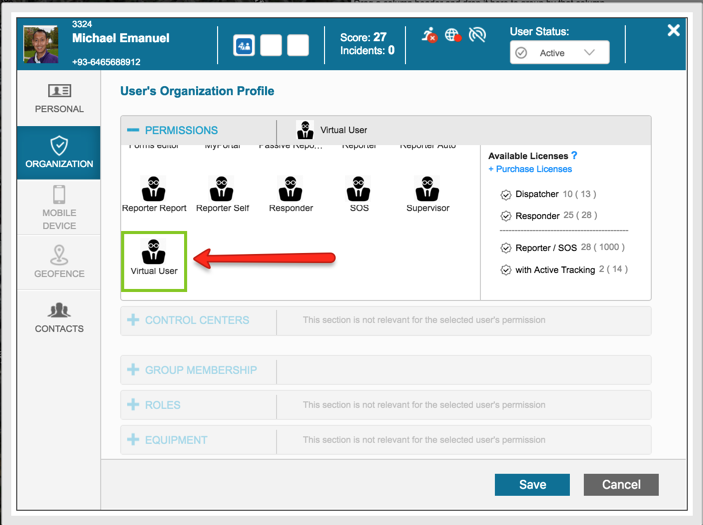
When adding a virtual user, you only need to select the virtual user authorization profile in the Organization tab.
Dispatching a Virtual User
To dispatch a virtual user, you must first manually search for them so they become visible in the Dispatcher tab.
Follow these steps to dispatch a virtual user:
- Click on the search bar for manual search to find the virtual user.
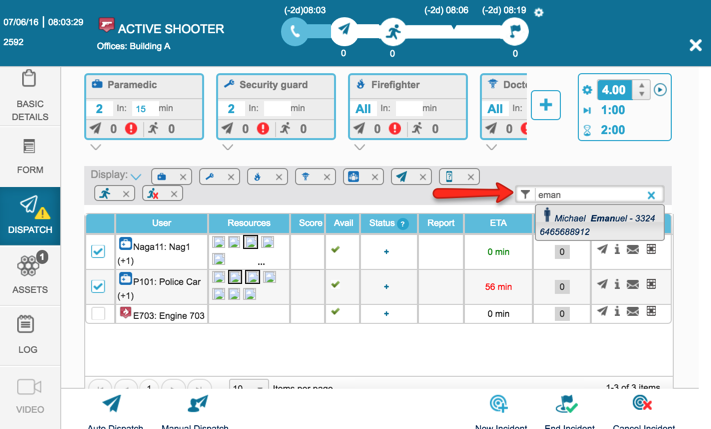
- Select the Virtual User from the dropdown list.
- Click on the + icon in the Status column.
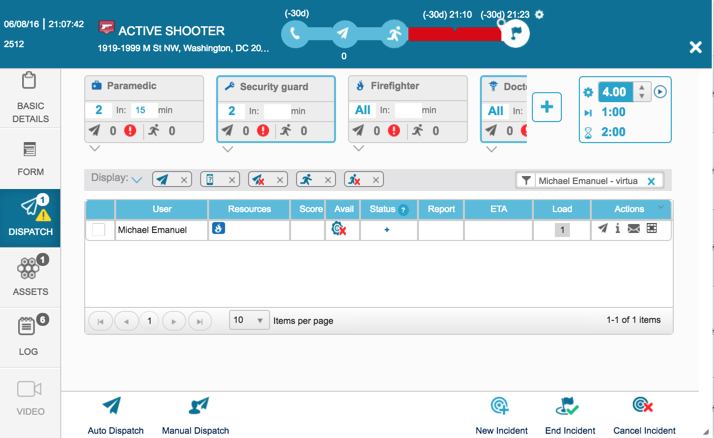
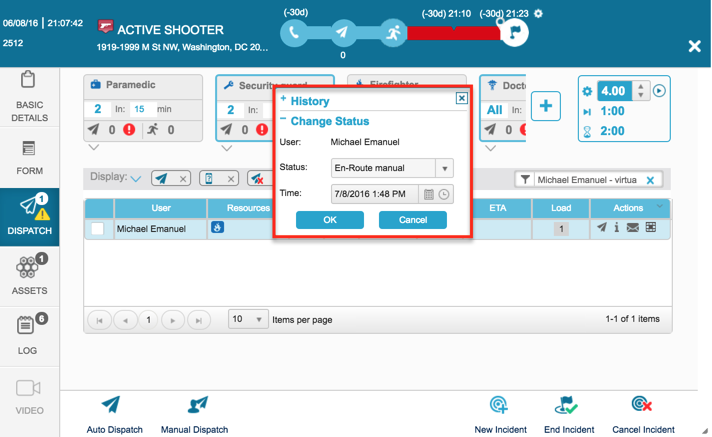
- Manually enter the dispatch status and time.
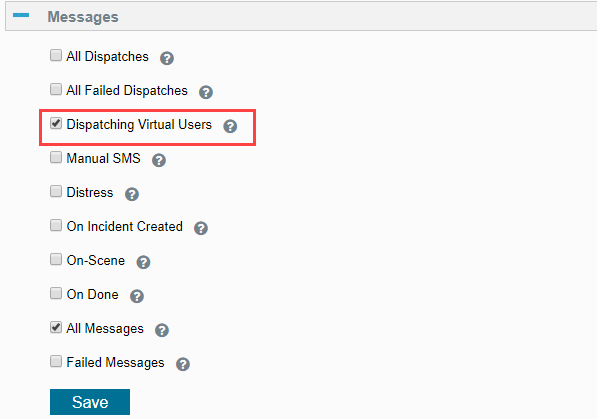
SMS on Dispatch of Virtual User
Virtual users can be configured to receive an SMS upon manual dispatch.
Linked Mentions
0
No backlinks found.
Unlinked mentions
